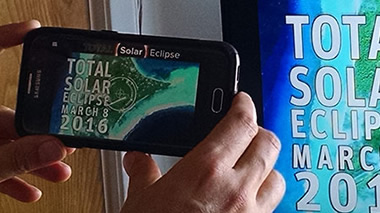
Modern communications technology crosses the reaches of time and space. So why shouldn’t observing the sun during a total solar eclipse from a vantage point of a coral atoll in the Pacific Ocean be a challenge you can’t conquer with the cell phone in your pocket? It shouldn't—and it's not! Fortunately, we have an app for that.
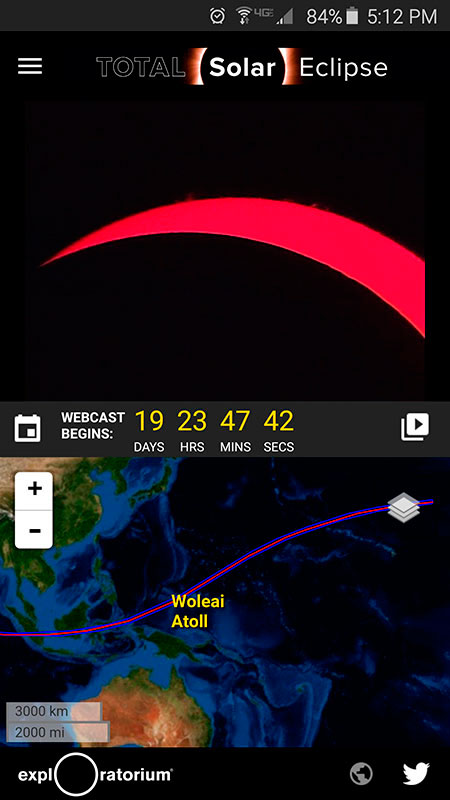
Total Solar Eclipse, the Exploratorium's first mobile app incorporating our live webcasting programs, is now available for Android phone and tablet users on Google Play. This free app allows you to view our live webcast of the eclipse from Woleai in Micronesia on March 8/9, 2016. It offers an optimized video player for watching the live video streams as well as videos about eclipses and how to watch them safely, and our archive of past eclipse expedition videos from 1998–2008. It features an interactive map that you can use to explore the path of totality of the March 8/9 eclipse and articles and maps to get you ready for the August 21, 2017, total solar eclipse that will happen over North America.
Share the Eclipse
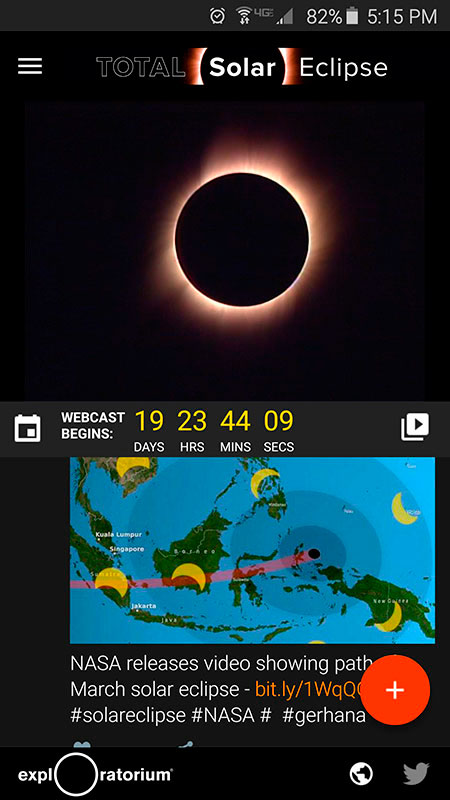
Watching an eclipse as it happens is awe-inspiring. Seeing one with a group of people can enhance the experience as you observe everyone's shared reactions, questions, and comments. To help you connect to the shared excitement, we created a live Twitter view in the Total Solar Eclipse app. Follow the conversation about the eclipse on Twitter and share your own tweets as you watch it live, right from the app.
Bring the Eclipse With You
Using your own device, bring the live video of the eclipse with you to your living room big screen, or create your own eclipse viewing party wherever you are by sharing the video from your phone or tablet to set-top boxes or connected televisions over Wi-Fi. Most set-top boxes—such as Apple TV, Chromecast, Amazon Fire TV, and Roku—and many smart TVs and DVD players, have screen mirror receiving functions that you can use to share the app screen from your phone or tablet to display on a TV.
To do this, you need to enable the screen-mirroring function of your receiver device, usually a selection on the device's settings screen. Next, you'll need a mirroring app that makes the connection from your mobile device to the screen-mirroring receiver (the set-top box or smart TV). Look for a Miracast-type screen-mirroring app on Google Play (most are free), and use one to connect from your device to the screen-mirroring receiver. Once connected, you can use the Video Guide in the eclipse app to select a live video stream and watch it on the big screen. See our tips for creating your own viewing party.
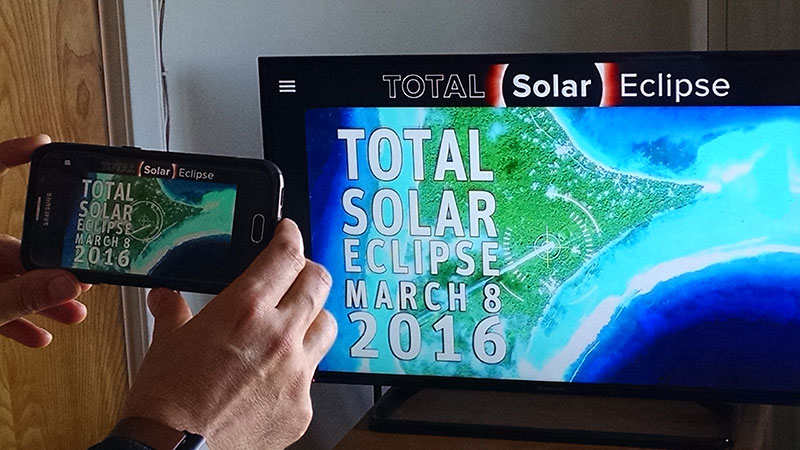
Displaying the phone's screen on a television using a connected Amazon Fire TV's '"Display Mirroring" function. (Photo by Steve Browning)
If you don’t have an Android device, don’t worry! Our website is mobile-friendly and you can easily watch the live eclipse video using a web browser app on your phone or tablet. Just point your browser to http://www.exploratorium.edu/eclipse.