

Recently, we've been doing lots of experiments with Scratch programming and projects that bridge the digital and physical world. Earlier in the month, Ricarose Roque visited the Tinkering Studio and inspired us to start thinking about ways to use Scratch both as a tool for storytelling and a platform to connect homemade objects to the scratch animations with MakeyMakey.
We've been experimenting with ways of replicating and modifying the storytelling workshop for our drop-in environment on the museum floor as well as looking into other activities that combine programming and the physical world in interesting ways.
 A few weeks ago, Nicole and I traveled down to the Tech Museum in San Jose after work to participate in a workshop for educators called robot petting zoo, which is a 'makeathon' developed by the TechHive group at the Lawrence Hall of Science. The goal of this compressed two hour workshop was to introduce hummingbird robotics kit, snap programming (a language based on scratch), and craft materials so that participants could build their own animals that respond to sensors in interesting ways.

Each pair started with a cardboard box, which is similar to the way we begin our automata activity. We cut a few holes for the hummingbird board, the servo motors and assorted wires and began to modify our creature by adding pink pipe cleaner antennae.
 As we build, the workshop leaders made announcements to share the next steps in scratch and walked around the room to help troubleshoot problems. Our project quickly evolved to become a cockroach that changed eye color and wriggled its antennae when moved to a dark place. The hummingbird board made it easy to add light sensors, servos, and tri-color LEDs with spring socket connectors. I liked how the system allowed for the idea of adding your own homemade sensors and switches to the universal connection points.

Although there wasn't too much time for the entire workshop, at the end of the session most people had something semi-finished and we went around the room to share projects and any troubleshooting tips that we discovered along the way. I was pretty happy with our cockroach and Nicole and I liked how we were more interested throughout the workshop in the physical creation than the screen, and that programming was just a tool we used to animate our robot.
 A few days later, I tried to recreate the workshop using slightly different hardware and software that we had been already experimenting with in the Learning Studio. For my initial prototype, I connected a Seeed Studio Grove Kit to the ScratchX arduino extension. I created something similar to what we made at the robot petting zoo workshop using an automata box, two servos, and a slot with a light sensor to activate the bot.

As a second effort, I tried to get a little more free form and constructed a puppy with a grove board embedded inside.
 I used hot glue to attach the electronic parts to the cardboard body, and stole a nice trick from the workshop, wrapping the components in painter's tape and then glueing them in place solidly but temporarily.

It was fun to incorporate sound effects from the scratch library to make the puppy even more realistic. I was able to accomplish the project fairly quickly, but it did seem like there were a lot of aspects to the activity that may feel complicated for beginners.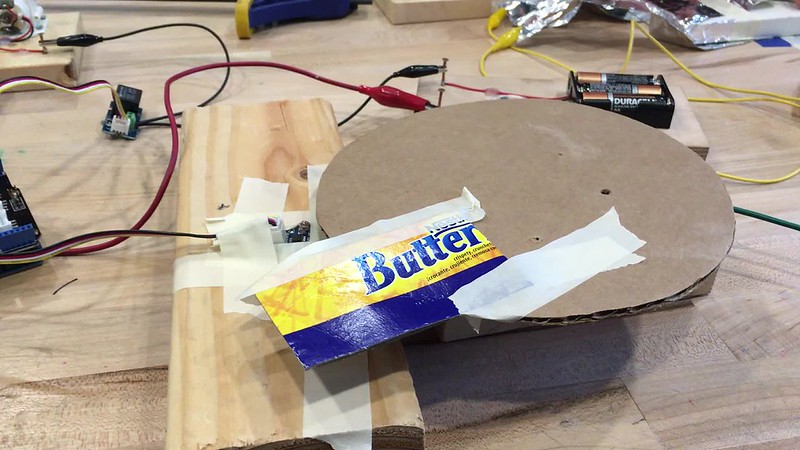 Although the components in the Seeed kit might on the surface seem a little less customizable than the hummingbird kit, the pack comes with relays to allow the arduino to control any object powered by an external battery. Treating the relay like an LED in ScratchX lets you activate circuit board parts and slow moving motors. I experimented a bit with the components in the tinkering studio during a slow day for chain reatction. My code turned the toy part on when the light sensor got covered by the cardboard piece on the slow moving motor.

These initial experiments with the circuit board blocks led to a test of how the scratch board could control the lights, sounds and motion of a dissected and reanimated toy. I was inspired by the AnimaToys workshop created by our friends at Milan Tinkering Zone where they used arduino to create an orchestra out of re-purposed toys. It seems that these new technologies would make it much more approachable for beginners to re-program the mechanisms in a shorter time span.
 First, I clipped the wires and disconnected the circuit board from the body of the toy. I traced the wires to the components they controlled and attached alligator clips to the leads. From there I could attach the wires from the LED eyes and the moving arms to the arduino and program the movements.

I constructed a pretty simple code that blinked the LEDs and toggled the motor on and off. It was fun to play around the timing and coordination to sync the movements to songs that are part of the scratch library. One challenge was that the arduino controlled the relay in a simple on and off switch, so that the motor's direction and speed couldn't be adjusted. The last thing that I tried was connecting a MaKeyMaKey to create aluminum foil switches which triggered sounds in the program when hit by the cat's arms.
Through all these experiments, there have been a couple of goals that we've been keeping in mind when thinking about adapting these ideas for visitors on the floor. It seems important for the focus to be balanced between the digital and the physical world and for us to figure out ways where experimentation and delightful surprises are possible, and like the best tinkering activities, support personal expression and multiple outcomes. It's been fun to play around with Scratch programming, sensors, and mechanisms in new ways and I'm looking forward to continuing the experiments.