
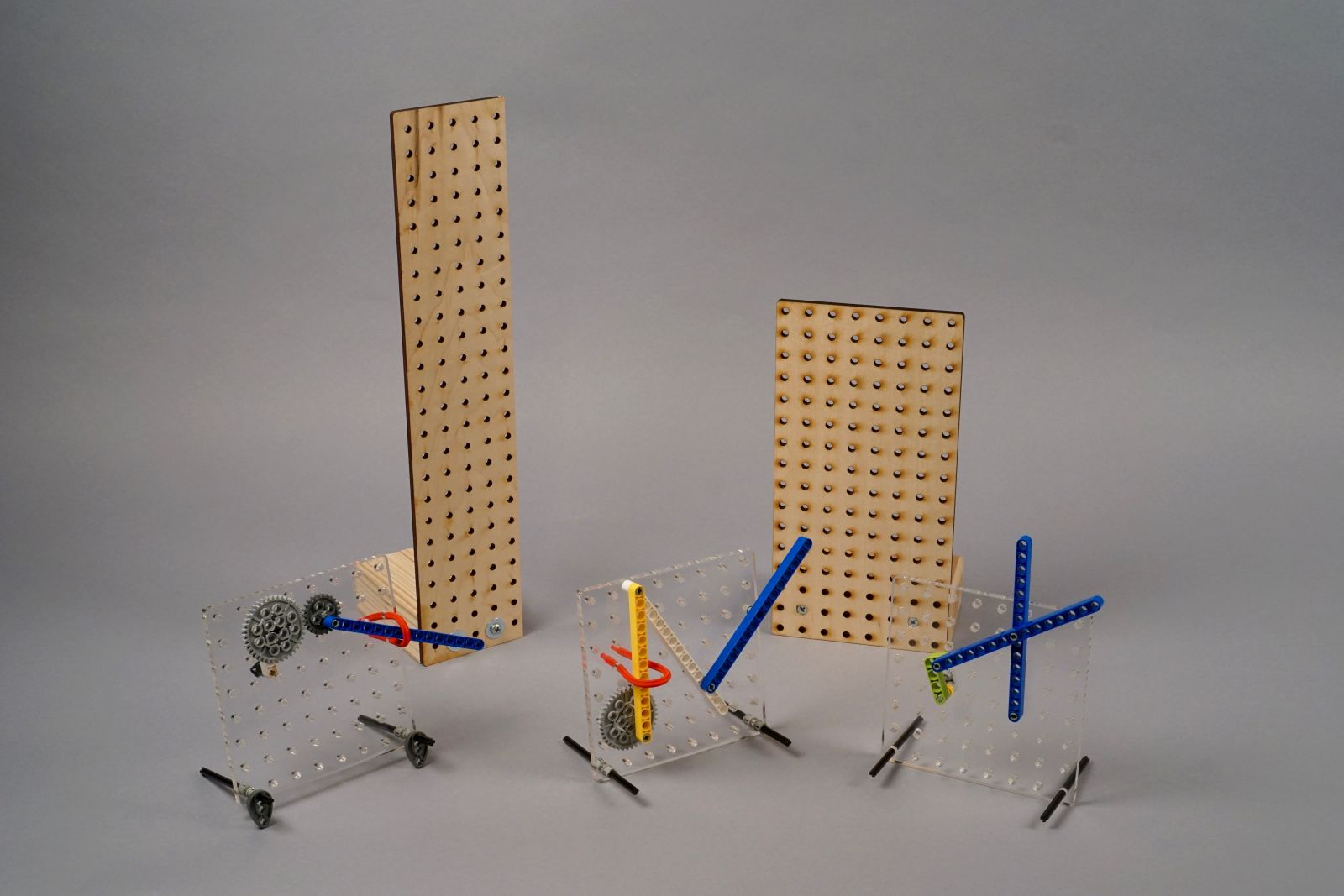
Here are the files for laser cutting together with a quick overview on how to make a pegboard that fits LEGO technic pins with proper spacing to attach beams and bricks.
For the basic board, you will need the following materials and tools.
Materials:
- large pegboard: 11" x 15" piece of 1/4" (6mm) plywood or acrylic for laser cutting. Optional: 15" long 2x4 piece of wood as stand
- small pegboard: 6" x 11" piece of 1/4" (6mm) plywood or acrylic for laser cutting. Optional: 6" long 2x4 piece of wood as stand
- 2 button head wood screws
Tools:
- Laser Cutter (we are using a Glowforge and a Universal Laser Systems cutter)
- Philips Head Screwdriver or Power Drill with a driver bit if you decide to make a stand
Laser cutting:
- Download our file (.svg) which has a hole pattern compatible with the LEGO technic hole size and spacing. Use the small or large file to lasercut a pegboard panel or feel free to edit the file in Adobe Illustrator or Inkscape to create custom sized boards.
- Place the piece of plywood or acrylic on the laser cutter bed and cut out the LEGO technic hole pattern according to your machine's specifications for 1/4 in material.
- Attach the pegboard to the piece of 2x4" using wood screws through one hole on each side to create a stable base for your LEGO tinkering explorations, or attach C-clamps to the pegboard to quickly create an improvised stand.
Tinkering with LEGOPegboard:
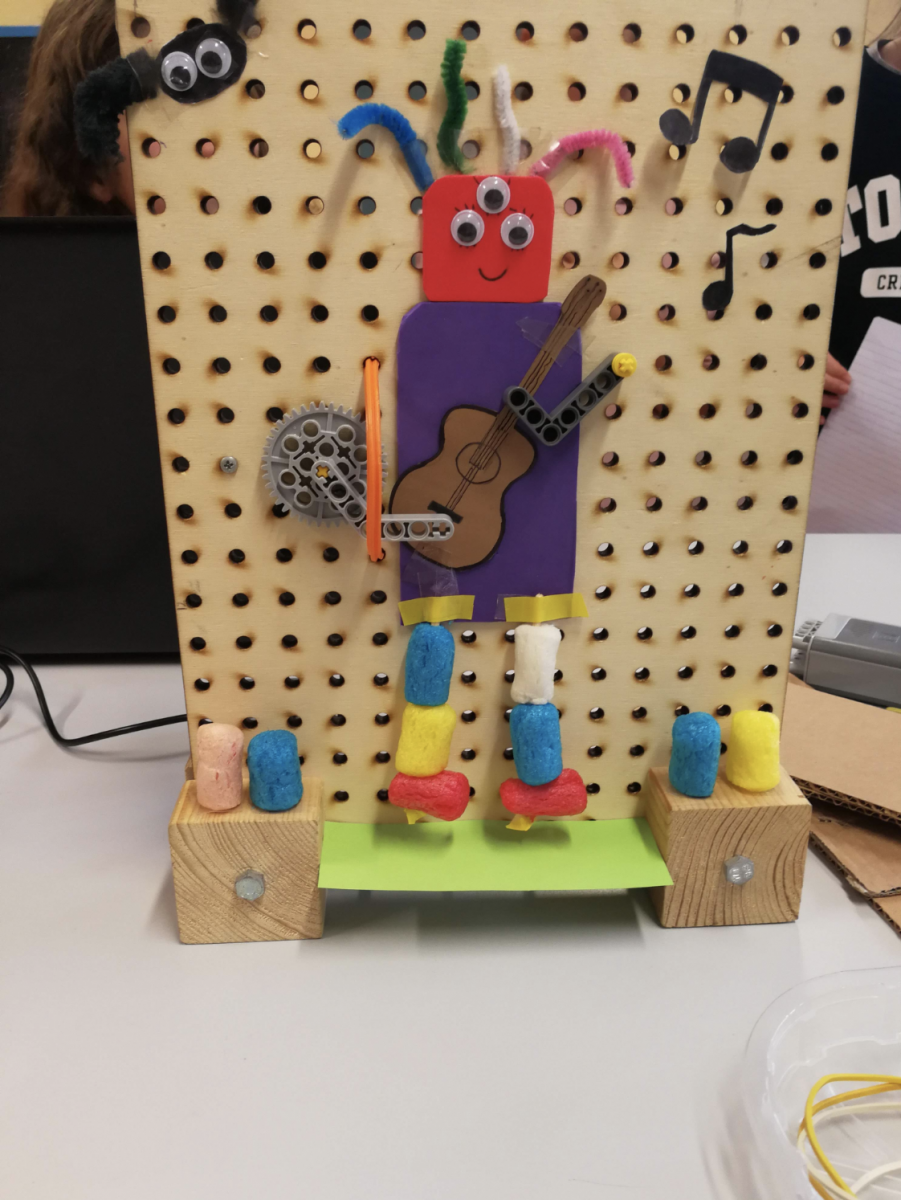
We recommend that you take the pegboard file as a starting point and customize it to fit your needs. Mess around with different configurations and stands for the pegboards, and create your own custom mix of LEGO parts and other materials to support explorations of mechanisms, motions, story telling with LEGOs on pegboard.
Please share your ideas and designs with us as we continue to develop interesting ways to tinker with LEGO! #LEGOTinkering, #LEGOPegboard @TinkeringStudio on Twitter.
Here are a few of the fabulous, open-ended explorations that have emerged over the past years since we first shared LEGOPegboard with the community:
LEGO Automata
LEGO Art Machines with 7th graders, project Fondazione Pittini "Sperimentare il Futuro", Scuola CAPRIN @immaginario_IS #LEGOtinkering #STEAM #Trieste pic.twitter.com/8KZnn0rAHo
— May Sabbah (@MayMaysab) November 15, 2019
LEGO Sound Machines
#musicmaker #legotinkering @LEGOIdeaStudio #recitqc #santaiscoming @Circuitcube powered! #makered #makerspace @LEARNQuebec pic.twitter.com/99E75I6zkf
— Chris Colley (@chriscolleydog) October 25, 2019
LEGO Tabletop Games
G5 tabletop games #makered #legotinkering @VersaBlocks pic.twitter.com/UPx53FD65i
— Gary M. Donahue (@garymdonahue) November 7, 2019
LEGO Linkage Explorations
#LEGOautomata linkage study. A small change makes a big difference! @TinkeringStudio #LEGOtinkering pic.twitter.com/shXHBx10qF
— Ryoko Matsumoto (@ryokomatsumoto) December 15, 2018
Playful LEGO Mechanism Wall
G5 #curiouscontraptions hallway display @exploratorium @TinkeringStudio #makered @Intl_Chadwick pic.twitter.com/9PugXBgTP6
— Gary M. Donahue (@garymdonahue) November 25, 2019
LEGO Marble Runs
My students love #Makerspace Mondays @Intl_Chadwick. Today's #teamwork challenge: marble runs! #inquiry #collaboration #STEM #challenge pic.twitter.com/Op0xaepEhb
— Rachelle Pia (@RachellePia) April 23, 2018